
Ford Fusion: Body and Paint / Glass, Frames and Mechanisms
Ford Fusion 2013–2020 Service Manual / Body and Paint / Body and Paint / Glass, Frames and Mechanisms
- Fixed Glass. General Procedures
- Heated Window Grid Wire Repair. General Procedures
- Lead Terminal Repair. General Procedures
- Power Door Window Initialization. General Procedures
- Front Door Window Glass. Removal and Installation
- Rear Door Window Glass. Removal and Installation
- Front Door Window Regulator. Removal and Installation
- Front Door Window Regulator Motor. Removal and Installation
- Rear Door Window Regulator. Removal and Installation
- Rear Door Window Regulator Motor. Removal and Installation
- Rear Door Glass Top Run. Removal and Installation
- Front Door Glass Top Run. Removal and Installation
- Front Door Window Control Switch. Removal and Installation
- Rear Door Window Control Switch. Removal and Installation
- Front Door Fixed Window Glass. Removal and Installation
 Glass, Frames and Mechanisms - System Operation and Component Description. Description and Operation
S..
 Fixed Glass. General Procedures
Special Tool(s) /
General Equipment
Glass Cut-Out Wire
Power Caulk Gun
Power Fixed Glass Removal Tool
Cold Knife
Knife
Vacuum Cleaner
Materials
Name
Specification
Sika® SikaTack® MACH 60 / Sika® SikaTack® MACH 30 / Dow® BETASEAL™ Express
-
Sika Tack ASAP Urethane Adhesive
-
Motorcraft® Ultra-Clear Spray Glass CleanerZC-..
Other information:
Ford Fusion 2013–2020 Service Manual: Engine Component View. Description and Operation
Upper Engine Item Part Number Description 1 67506750 Oil level indicator 2 12A36612A366 Ignition coil on plug (4 required) 3 9D3769D376 Fuel injection pump 4 9D3549D354 Fuel injection pump-to-fuel rail fuel supply tube 5 9H4879H487 Fuel rail 6 6C2876C287 Fuel injection pump tappet 7 9F5939F593 Fuel injector (4..
Ford Fusion 2013–2020 Service Manual: Boost Pressure Sensor. Removal and Installation
Removal NOTE: Removal steps in this procedure may contain installation details. Disconnect the electrical connector, remove the retainer and the turbocharger boost pressure sensor. Torque: 89 lb.in (10 Nm) Installation To install, reverse the removal procedure. ..
Categories
- Manuals Home
- 2nd Generation Ford Fusion Owners Manual
- 2nd Generation Ford Fusion Service Manual
- Engine - 1.5L EcoBoost (118kW/160PS) – I4
- Memory Function
- Pre-Collision Assist (IF EQUIPPED)
- New on site
- Most important about car
Manual Climate Control
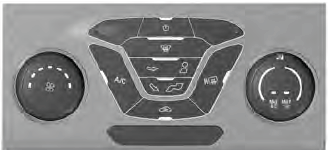
Note: Depending on your vehicle option package, the controls may look different from what you see here.

Copyright © 2026 www.fofusion2.com