Ford Fusion: Bumpers / Rear Bumper Cover. Removal and Installation
Special Tool(s) /
General Equipment
Removal
NOTE:
Removal steps in this procedure may contain installation details.
-
Remove the rear wheels and tires.
Refer to: Wheel and Tire (204-04A Wheels and Tires, Removal and Installation).
-
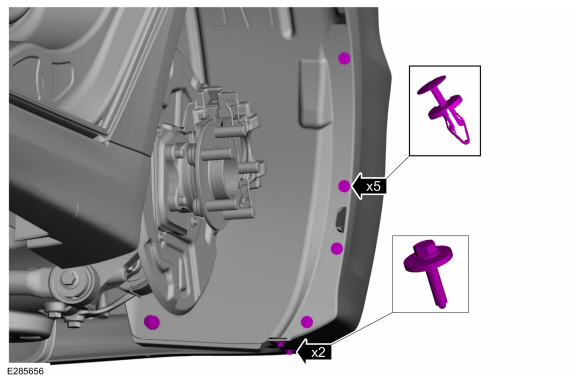
On both sides.
Remove the inner wheel liner to rear bumper cover pin-type retainers and the bolts.
Torque:
13 lb.in (1.5 Nm)
-
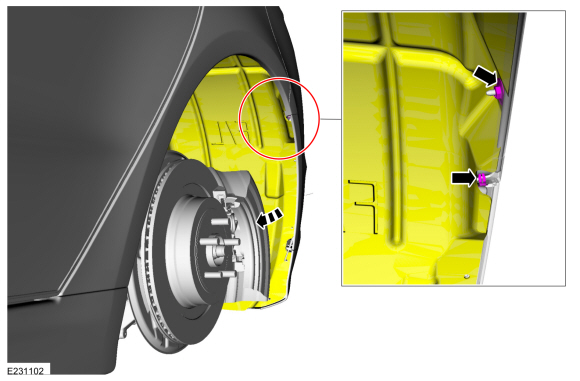
On both sides.
Remove the nut and the spring clip and then position the wheel well liner aside.
Torque:
13 lb.in (1.5 Nm)
-
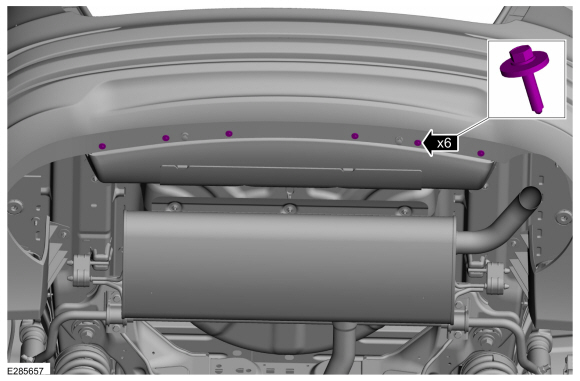
Remove the lower rear bumper cover to the body screws.
Torque:
13 lb.in (1.5 Nm)
-
Remove the rear lamp assemblies.
Refer to: Rear Lamp Assembly - 4-Door (417-01 Exterior Lighting, Removal and Installation).
-
On both sides.
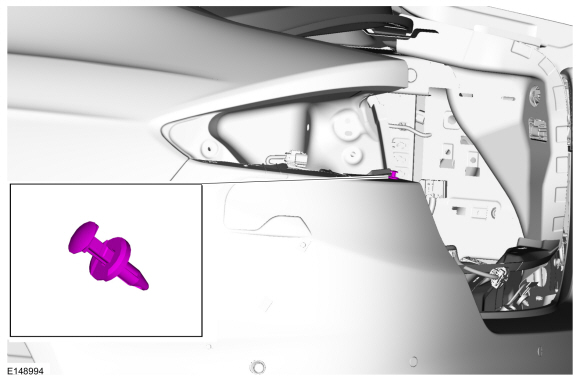
Remove the pin-type retainer.
-
On both sides.
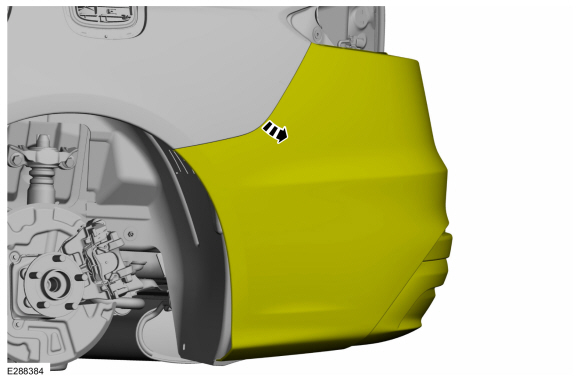
Release the rear bumper cover from the rear bumper cover brackets and position the rear bumper cover aside.
-
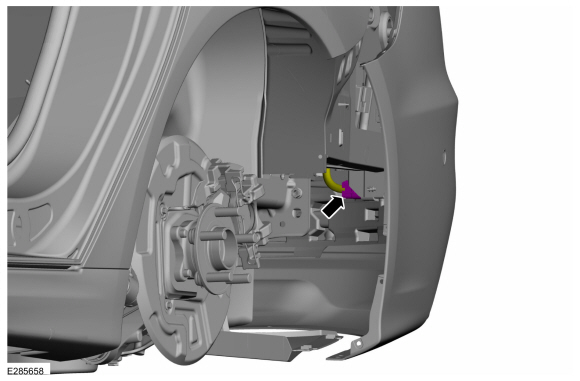
Disconnect the rear bumper harness electrical connector.
-
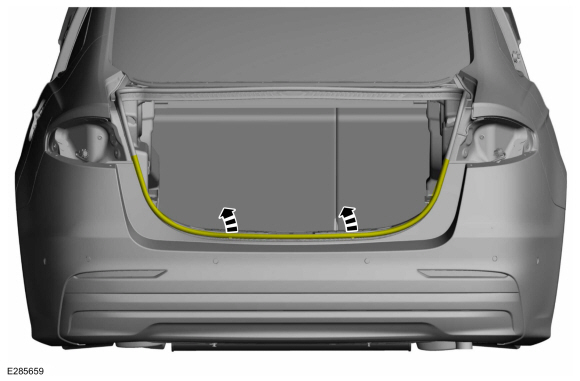
Position the weatherstrip aside.
-
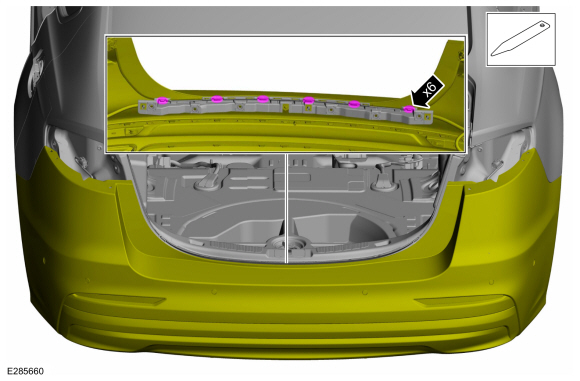
Using a non-marring tool, release the retaining tabs and pull outward to disengage.
Use the General Equipment: Interior Trim Remover
-
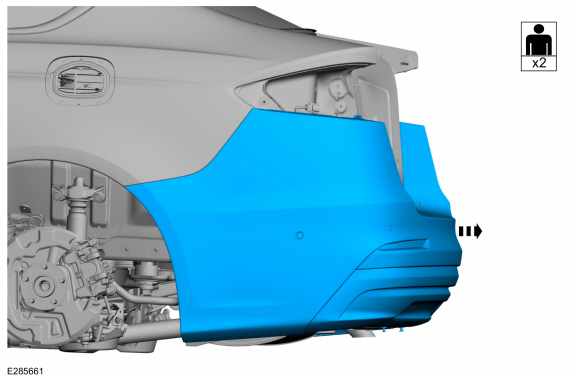
With the help of an assistant.
Remove the rear bumper cover.
-
On both sides.
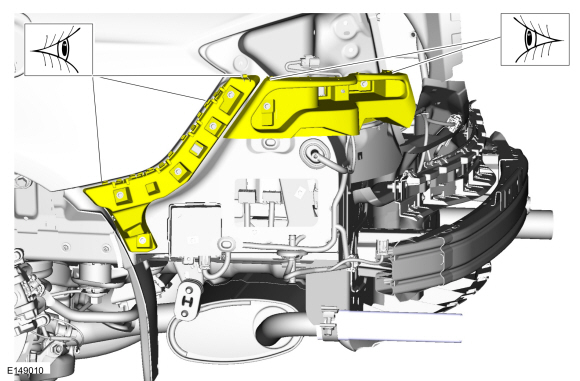
Inspect the bumper reinforcements for damage to the bumper cover tabs.
-
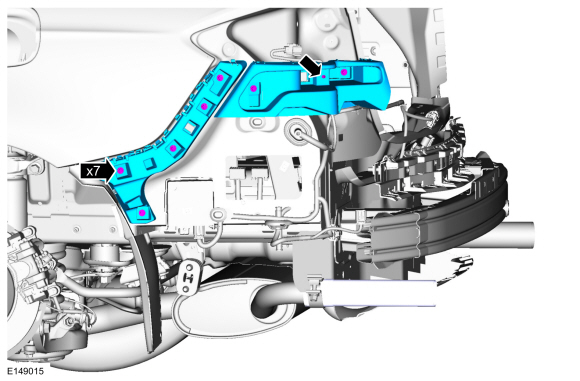
On both sides, if required.
Remove the screws, release the tab and the remove the rear bumper cover side brackets.
Torque:
13 lb.in (1.5 Nm)
-
Inspect the bumper reinforcements for damage to the bumper cover gripping surfaces.
-
If required.
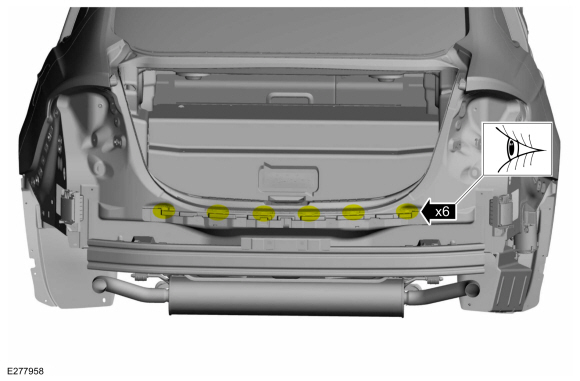
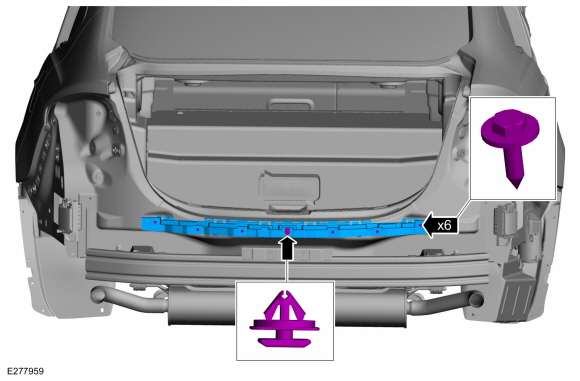
Remove the screws, the trim pin and the damaged rear bracket.
Torque:
13 lb.in (1.5 Nm)
Installation
-
To install, reverse the removal procedure.
Removal
NOTE:
Removal steps in this procedure may contain installation details.
Remove the rear bumper cover.
Refer to: Rear Bumper Cover (501-19 Bumpers, Removal and Installation)...
Special Tool(s) /
General Equipment
Hot Air Gun
DISASSEMBLY
NOTE:
Removal steps in this procedure may contain installation details.
Remove the front bumper cover...
Other information:
WARNING: Sitting improperly, out
of position or with the seatback reclined
too far can take weight off the seat
cushion and affect the decision of the
passenger sensing system, resulting in
serious injury or death in the event of a
crash. Always sit upright against your
seat back, with your feet on the floor...
Removal
NOTE:
Removal steps in this procedure may contain installation details.
With the vehicle in N, position it on a hoist.
Refer to: Jacking and Lifting - Overview (100-02 Jacking and Lifting, Description and Operation).
Remove the retainers and the engine undershield...

 Rear Bumper. Removal and Installation
 Front Bumper Cover. Disassembly and Assembly