
Ford Fusion: Suspension System - General Information / Rear Toe Adjustment. General Procedures
Ford Fusion 2013–2020 Service Manual / Chassis / Suspension / Suspension System - General Information / Rear Toe Adjustment. General Procedures
Special Tool(s) / General Equipment
| Wheel Alignment System |
Adjustment
NOTICE: Do not use any tools or equipment to move the wheel and tire assembly or suspension components while checking for relative movement. Suspension damage may occur. The use of tools or equipment will also create relative movement that may not exist when using hand force. Relative movement must be measured using hand force only.
-
Using alignment equipment and the manufacturer's instructions, check the rear toe setting on both sides.
Use the General Equipment: Wheel Alignment System
-
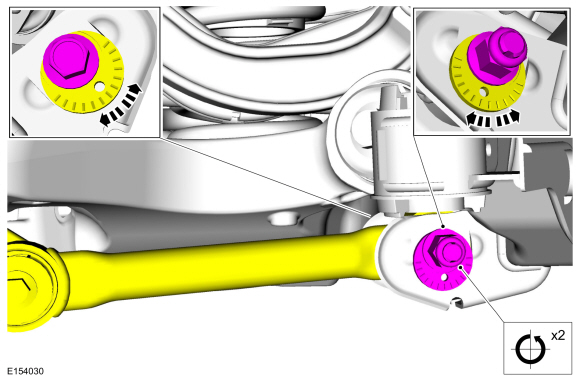
Turn the component Counterclockwise (CCW) through 2 complete turns.
Torque: 129 lb.ft (175 Nm)
 |
-
NOTE: If equipped with Lane Departure Warning (LDW) System, camera alignment is required for the lane keeping alert and lane keeping aid to function correctly.
Connect the scan tool and perform the IPMA camera alignment procedure. Follow the scan tool directions.
 Front Toe Adjustment. General Procedures
Special Tool(s) /
General Equipment
Wheel Alignment System
Adjustment
NOTE:
Make sure that the vehicle is standing on a level surface.
Steering wheel in straight ahead position...
 Rear Camber Adjustment. General Procedures
Special Tool(s) /
General Equipment
Wheel Alignment System
Adjustment
NOTICE:
Suspension fasteners are critical parts that affect the
performance of vital components and systems...
Other information:
Ford Fusion 2013–2020 Service Manual: Center Registers. Removal and Installation
Removal NOTE: Removal steps in this procedure may contain installation details. WARNING: Before beginning any service procedure in this section, refer to Safety Warnings in section 100-00 General Information. Failure to follow this instruction may result in serious personal injury...
Ford Fusion 2013–2020 Service Manual: Rear Door Latch. Removal and Installation
Removal NOTE: LHside shown, RH side similar. NOTE: Removal steps in this procedure may contain installation details. Remove the exterior rear door handle. Refer to: Exterior Rear Door Handle (501-14 Handles, Locks, Latches and Entry Systems, Removal and Installation)...
Categories
- Manuals Home
- 2nd Generation Ford Fusion Owners Manual
- 2nd Generation Ford Fusion Service Manual
- Transmission Fluid Drain and Refill. General Procedures
- Load Carrying
- Engine
- New on site
- Most important about car
Fuel Quality
Choosing the Right Fuel
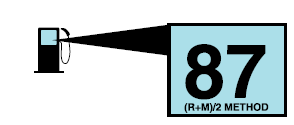
Your vehicle is designed to operate on regular unleaded gasoline with a minimum pump (R+M)/2 octane rating of 87.

Copyright © 2026 www.fofusion2.com