
Ford Fusion: Exterior Trim and Ornamentation / Luggage Compartment Lid Moulding. Removal and Installation
Ford Fusion 2013–2020 Service Manual / Body and Paint / Body and Paint / Exterior Trim and Ornamentation / Luggage Compartment Lid Moulding. Removal and Installation
Special Tool(s) / General Equipment
| Flat Headed Screw Driver | |
| Interior Trim Remover |
Removal
NOTE: Removal steps in this procedure may contain installation details.
-
-
Position aside the luggage compartment lid pull handle cover.
-
Remove the trim cover.
-
Remove the screws and the luggage compartment pull handle.
-
Position aside the luggage compartment lid pull handle cover.
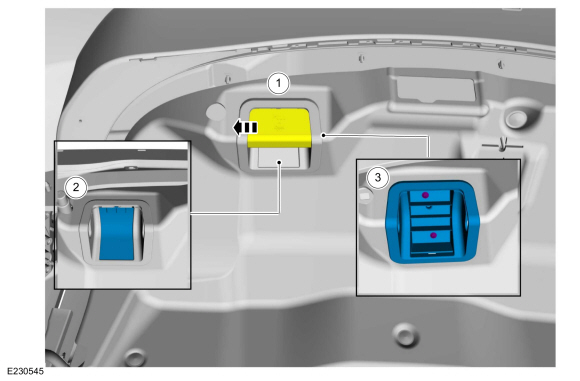 |
-
Insert a flat blade screwdriver in the housing slot and
slowly pry down to disengage tabs on the latch. Pull down on the latch
trim cover and remove.
Use the General Equipment: Flat Headed Screw Driver
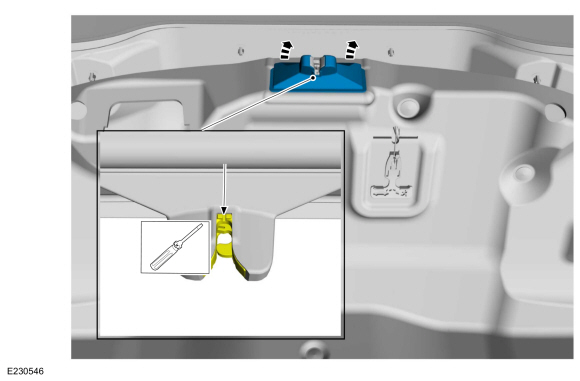 |
-
Remove the pushpins and the trim panel.
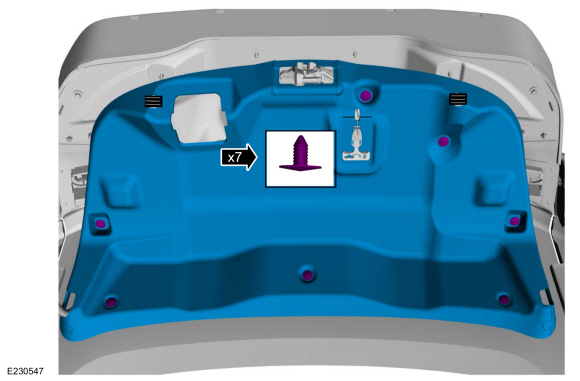 |
-
Disconnect the electrical connector and position aside the wiring harness.
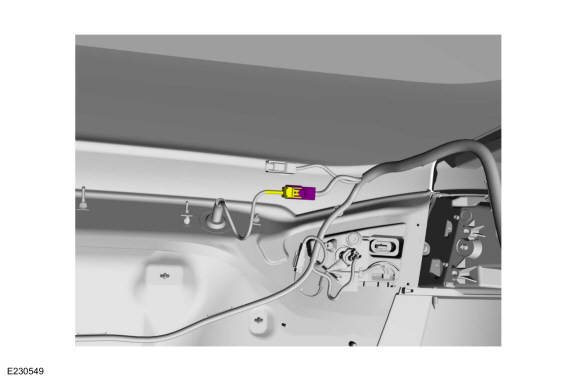 |
-
Remove the emblem and remove any adhesive from the surface. Discard the emblem.
Use the General Equipment: Interior Trim Remover
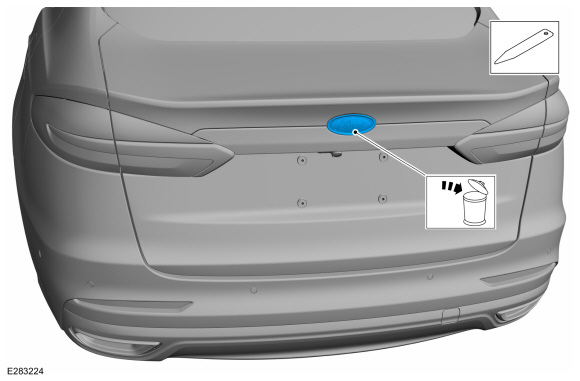 |
-
NOTE: Inner panel of the luggage compartment lid not shown for clarity.
Remove the retainer nuts.
Torque: 44 lb.in (5 Nm)
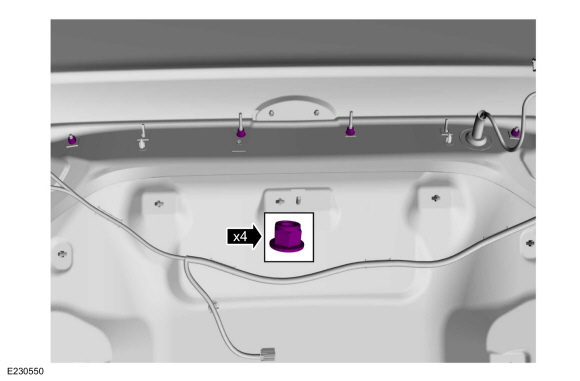 |
-
Release the clips.
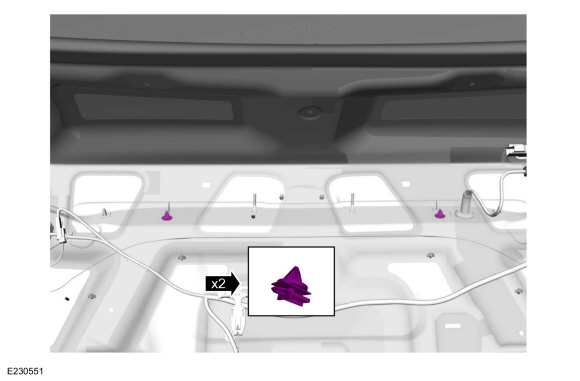 |
-
Remove the upper moulding.
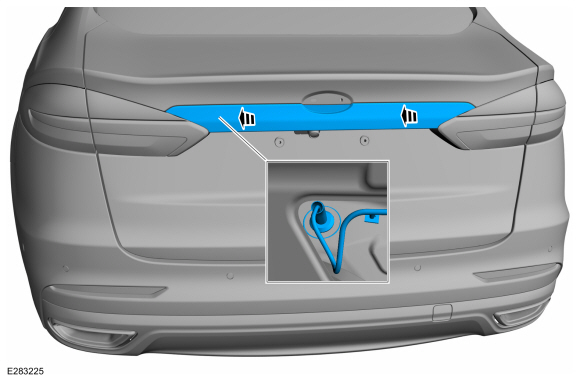 |
-
Remove the bolts and release the clips on the lower moulding.
Torque: 18 lb.in (2 Nm)
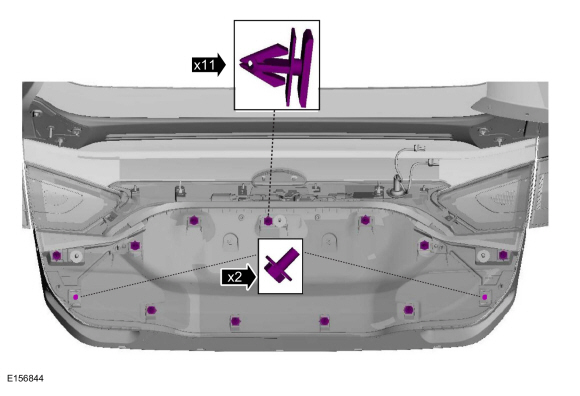 |
-
Remove the luggage compartment lid lower moulding.
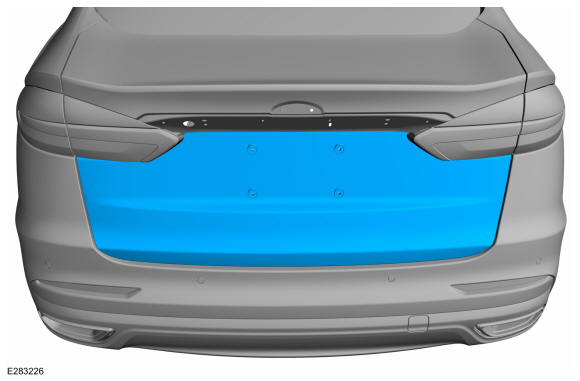 |
Installation
-
To install, reverse the removal procedure.
 Front Door Upper Moulding. Removal and Installation
Removal
NOTE:
LH side shown, RH side similar.
NOTE:
Removal steps in this procedure may contain installation details.
All vehicles
Lower the door glass all the way down...
 Rear Door Upper Moulding. Removal and Installation
Removal
NOTE:
LH side shown, RH side similar.
NOTE:
Removal steps in this procedure may contain installation details.
NOTICE:
Before beginning any service procedure in this
section, refer to Safety Warnings in section 100-00 General Information...
Other information:
Ford Fusion 2013–2020 Service Manual: Rear Bumper Cover. Removal and Installation
Special Tool(s) / General Equipment Interior Trim Remover Removal NOTE: Removal steps in this procedure may contain installation details. Remove the rear wheels and tires. Refer to: Wheel and Tire (204-04A Wheels and Tires, Removal and Installation)...
Ford Fusion 2013–2020 Owners Manual: Audio Unit - Vehicles With: Sony Audio System/Touchscreen Display
WARNING: Driving while distracted can result in loss of vehicle control, crash and injury. We strongly recommend that you use extreme caution when using any device that may take your focus off the road. Your primary responsibility is the safe operation of your vehicle...
Categories
- Manuals Home
- 2nd Generation Ford Fusion Owners Manual
- 2nd Generation Ford Fusion Service Manual
- Automatic Transmission - 6-Speed Automatic Transmission – 6F35
- Intake Manifold. Removal and Installation
- Pre-Collision Assist (IF EQUIPPED)
- New on site
- Most important about car
Manual Climate Control
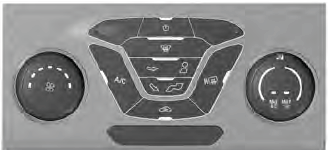
Note: Depending on your vehicle option package, the controls may look different from what you see here.

Copyright © 2026 www.fofusion2.com