
Ford Fusion: Starting System - 1.5L EcoBoost (118kW/160PS) – I4 / Auto-Start-Stop Deactivation Switch. Removal and Installation
Ford Fusion 2013–2020 Service Manual / Powertrain / Engine / Starting System - 1.5L EcoBoost (118kW/160PS) – I4 / Auto-Start-Stop Deactivation Switch. Removal and Installation
Special Tool(s) / General Equipment
| Interior Trim Remover |
Removal
NOTE: Removal steps in this procedure may contain installation details.
-
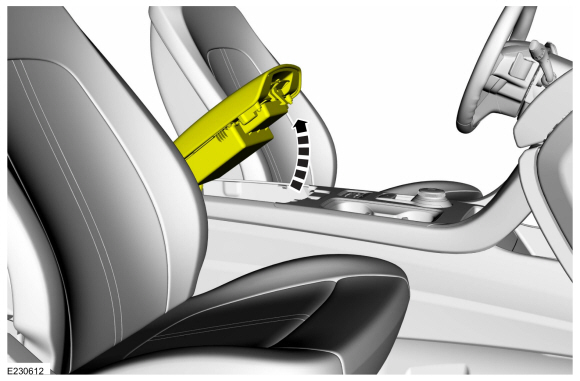
Open the floor console armrest.
 |
-
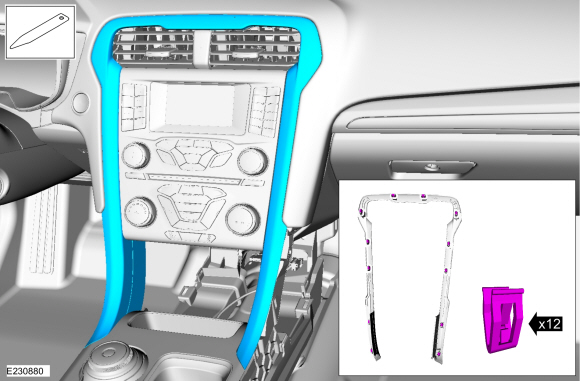
Remove the center trim panel.
Use the General Equipment: Interior Trim Remover
 |
-
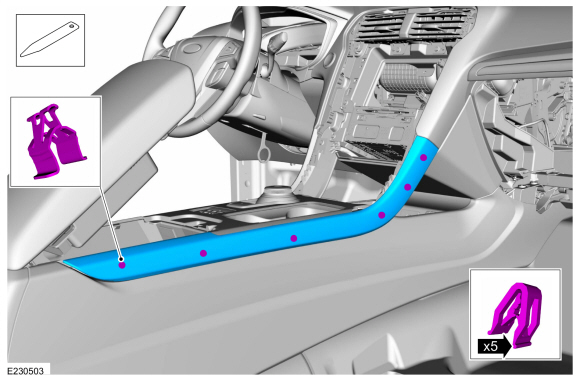
NOTE: RH side shown, LH side similar.
Both sides.
Release the clips and remove the floor console finish panel.
Use the General Equipment: Interior Trim Remover
 |
-
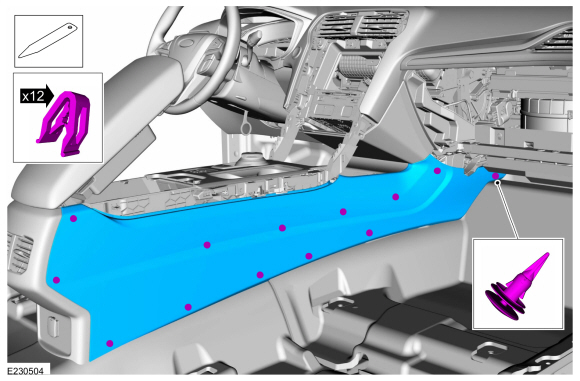
NOTE: RH side shown, LH side similar.
Both sides.
Release the clips, push pin and remove the floor console side trim panel.
Use the General Equipment: Interior Trim Remover
 |
-
Release the clips and remove the lower center instrument panel storage bin.
-
Disconnect the electrical connectors.
Use the General Equipment: Interior Trim Remover
-
Disconnect the electrical connectors.
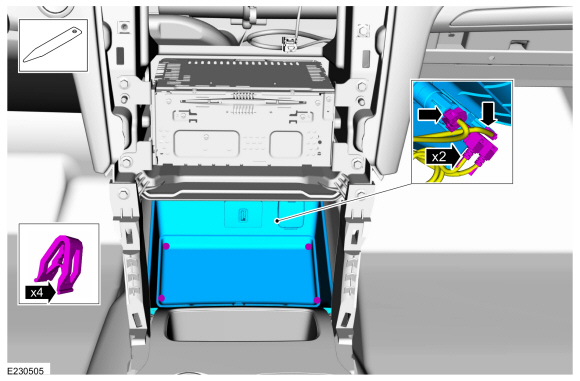 |
-
Release the clips, remove the screws and the floor console upper trim panel.
-
Disconnect the electrical connectors.
Use the General Equipment: Interior Trim Remover
-
Disconnect the electrical connectors.
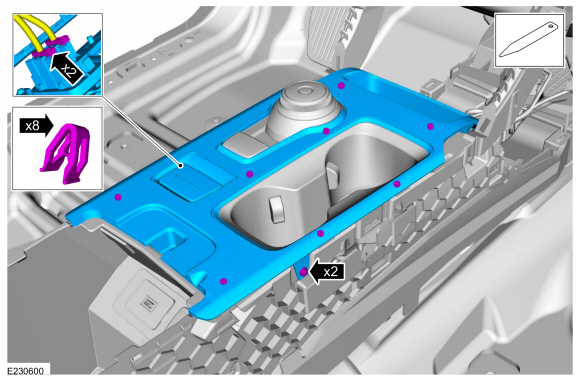 |
-
Release the tabs and remove the auto-start-stop deactivation switch.
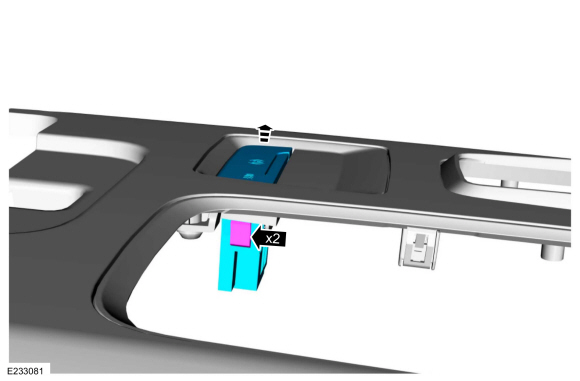 |
Installation
-
To install, reverse the removal procedure.
 Starter Motor Drive Gear and Flywheel Ring Gear Inspection. General Procedures
Inspection
Refer to: Starter Motor (303-06A Starting System - 1.5L EcoBoost (118kW/160PS) – I4, Removal and Installation).
Check the wear patterns on the starter drive gear and
the flywheel or flexplate ring gear...
 Starter Motor. Removal and Installation
Special Tool(s) /
General Equipment
Strap Wrench
Oil Drain Equipment
Materials
Name
Specification
Engine Oil - SAE 5W-20 - Synthetic Blend Motor OilXO-5W20-Q1SP
WSS-M2C945-B1
Removal
WARNING:
Always disconnect the battery ground cable at the battery
before disconnecting the starter motor battery terminal lead...
Other information:
Ford Fusion 2013–2020 Service Manual: Engine Cooling - System Operation and Component Description. Description and Operation
System Operation Engine coolant flows primarily from the engine to the radiator circuit and back to the coolant pump. Coolant is sent from the coolant pump through the engine block and cylinder head. A separate circuit from the engine also feeds the heater core and turbocharger with coolant...
Ford Fusion 2013–2020 Service Manual: Locked Seatbelt Retractor Releasing. General Procedures
Repair NOTE: If the seatbelt webbing does not extract from the seatbelt retractor from the stowed position, this may be due to a normal condition which happens when the seatbelt retracts at a high rate of speed. Follow these steps to release the seatbelt...
Categories
- Manuals Home
- 2nd Generation Ford Fusion Owners Manual
- 2nd Generation Ford Fusion Service Manual
- Body Control Module (BCM). Removal and Installation
- Transmission Fluid Drain and Refill. General Procedures
- Traction Control
- New on site
- Most important about car
Manual Climate Control
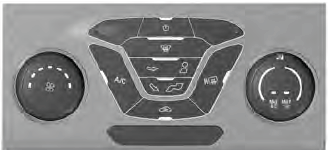
Note: Depending on your vehicle option package, the controls may look different from what you see here.

Copyright © 2026 www.fofusion2.com