
Ford Fusion: Module Communications Network / Communications Network - Overview. Description and Operation
Overview
Multiplexing is a method of sending 2 or more signals simultaneously over a single circuit. Multiplexing allows 2 or more electronic modules (nodes) to communicate over a twisted wire pair [data (+) and data (-)] network. The information or messages that can be communicated on these wires consists of commands, status or data. Multiplexing reduces the weight of the vehicle by reducing the number of redundant components and electrical wiring.
The vehicle has 2 module communication networks connected to the DLC, located under the instrument panel. The communication networks are:
- DIAG 1
- DIAG 2
The vehicle has 4 or 5 (optional) communication networks that do not communicate directly with the diagnostic scan tool. The GWM translates the messages on these 4 or 5 (optional) networks, and transfers the signals to the circuits at the DLC to communicate with the diagnostic scan tool. The communication networks are:
- HS-CAN1
- HS-CAN2
- HS-CAN3
- MS-CAN
- HS-CAN4 (optional)

 Communications Network - System Operation and Component Description. Description and Operation
System Operation
System Diagram
Item
Description
1
BCM
2
DDM
3
PDM
4
DSP
5
ACM
6
PSCM
7
GPSM
8
IPMA
9
OCSM
10
RCM
11
PCM
12
GWM
13
FCDIM
14
DLC
15
SODL
16
SODR
17
DSM
18
HUD
19
RTM
20
..
Other information:
Ford Fusion 2013–2020 Owners Manual: Special Notices
New Vehicle Limited Warranty Vehicles sold in the United States and Canada For a detailed description of what is covered by your New Vehicle Limited Warranty, see your warranty guide that is available online. For more information, refer to our website and download your copy of the warranty guide. Vehicles sold outside the United States and Canada For a detailed description of what is covered..
Ford Fusion 2013–2020 Owners Manual: Heated Seats (IF EQUIPPED)
WARNING: Use caution when using the heated seat if you are unable to feel pain to your skin because of advanced age, chronic illness, diabetes, spinal cord injury, medication, alcohol use, exhaustion or other physical conditions. The heated seat could cause burns even at low temperatures, especially if used for long periods of time. Failure to follow this instruction could result in perso..
Categories
- Manuals Home
- 2nd Generation Ford Fusion Owners Manual
- 2nd Generation Ford Fusion Service Manual
- Body Control Module (BCM). Removal and Installation
- Load Carrying
- Transmission Fluid Drain and Refill. General Procedures
- New on site
- Most important about car
Understanding Your Tire Pressure Monitoring System
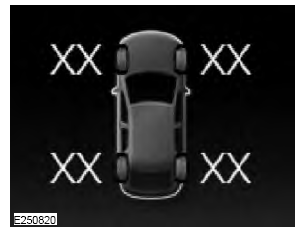
The tire pressure monitoring system measures pressure in your road tires and sends the tire pressure readings to your vehicle. You can view the tire pressure readings through the information display. The low tire pressure warning light will turn on if the tire pressure is significantly low. Once the light is illuminated, your tires are under-inflated and need to be inflated to the manufacturer’s recommended tire pressure. Even if the light turns on and a short time later turns off, your tire pressure still needs to be checked.
