Ford Fusion: Information Displays / Information Messages
Note: Depending on your vehicle options and instrument cluster type, not all messages display or are available. Certain messages may be abbreviated or shortened depending upon which cluster type you have.
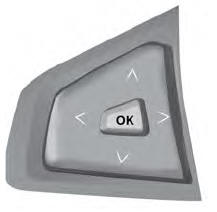
Press the OK button to acknowledge and remove some messages from the information display. The display removes other messages after a short time.
Certain messages need to be confirmed before you can access the menus.
Active Park

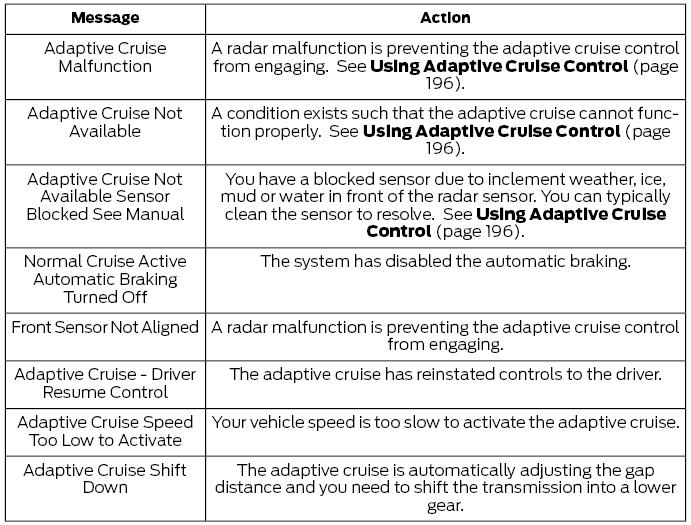
Adaptive Cruise Control
AdvanceTrac®

Airbag

Alarm

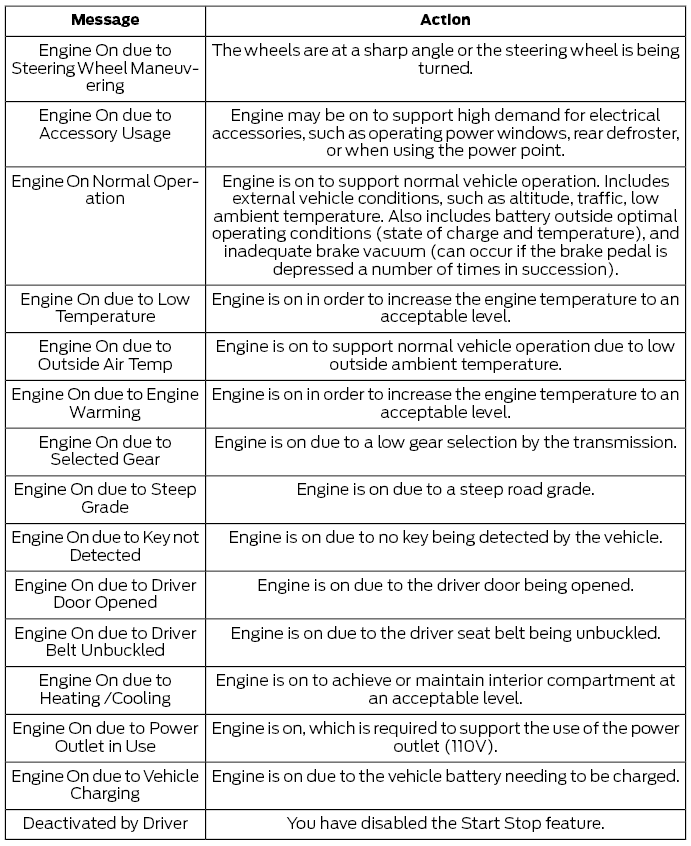
Auto Start-Stop
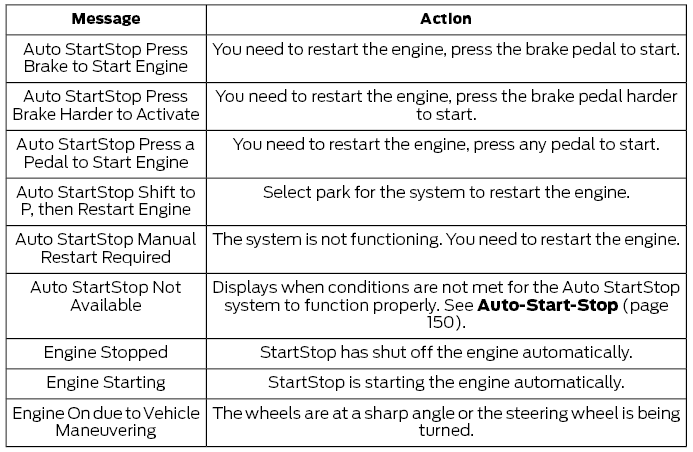
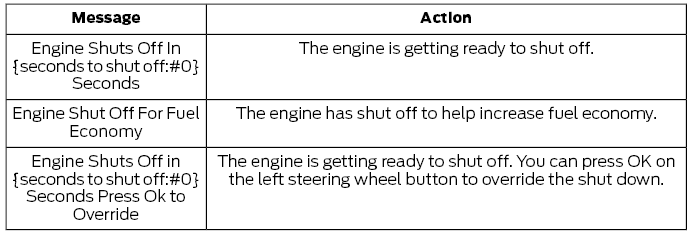
Automatic Engine Shutdown
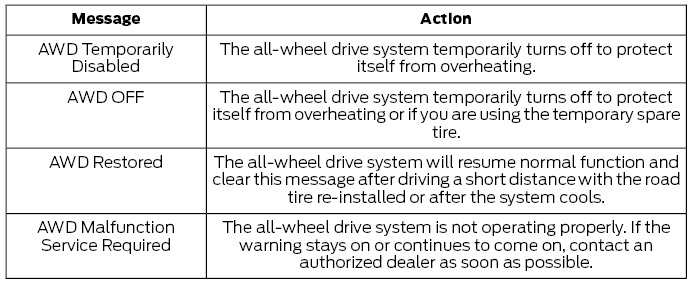
All-Wheel Drive
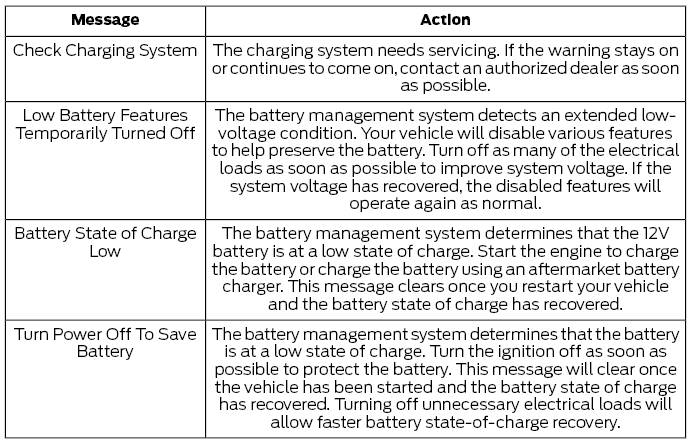
Battery and Charging System
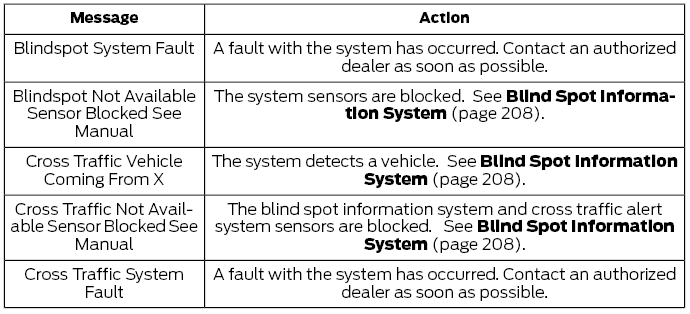
Blind Spot Information and Cross Traffic Alert System
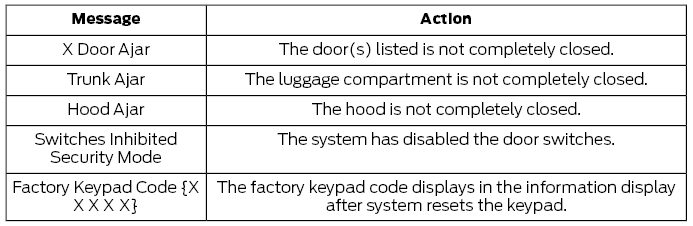
Doors and Locks
Driver Alert

Fuel

Hill Start Assist

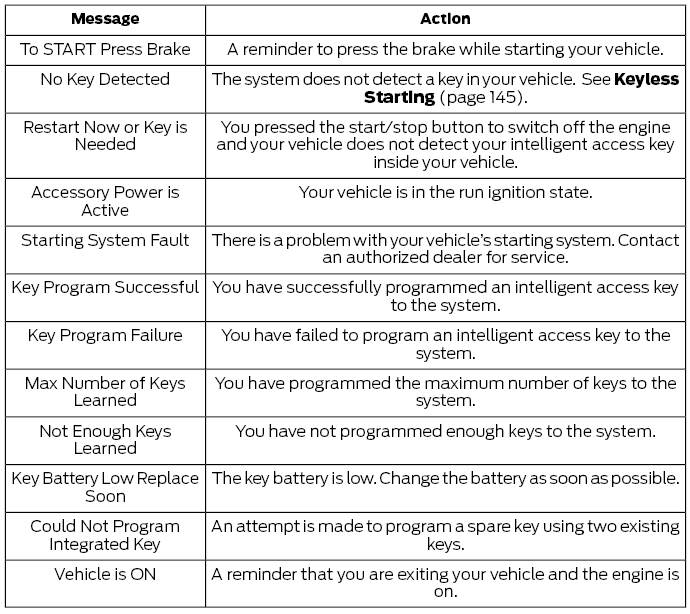
Keys and Intelligent Access
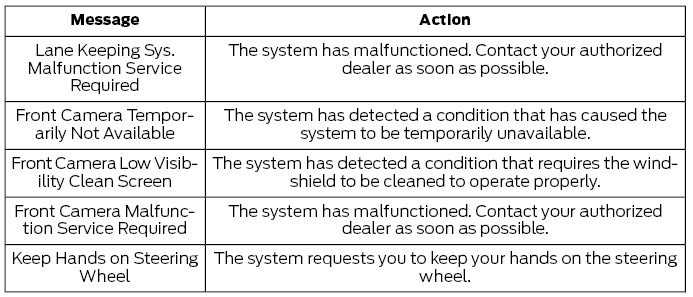
Lane Keeping System
Maintenance
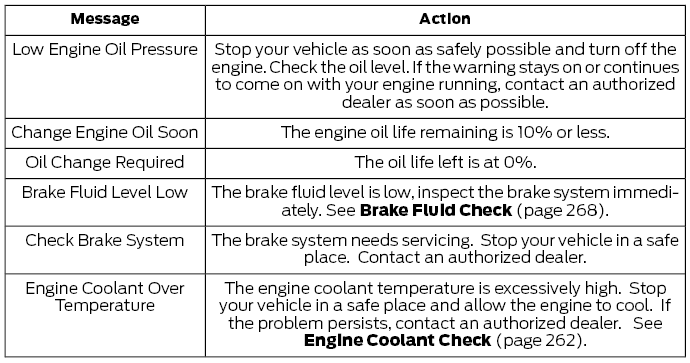
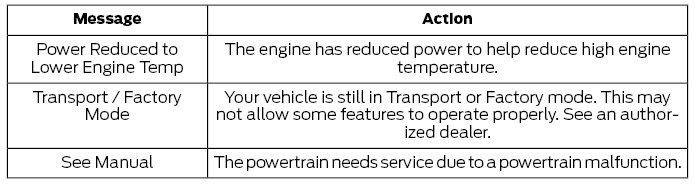
MyKey
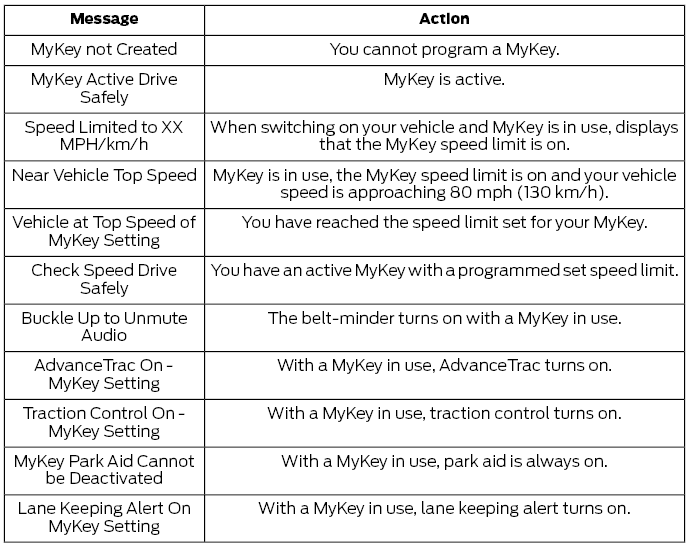
Park Aid
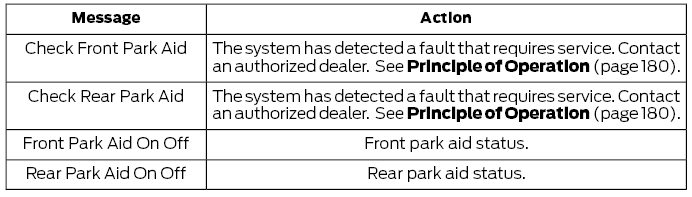
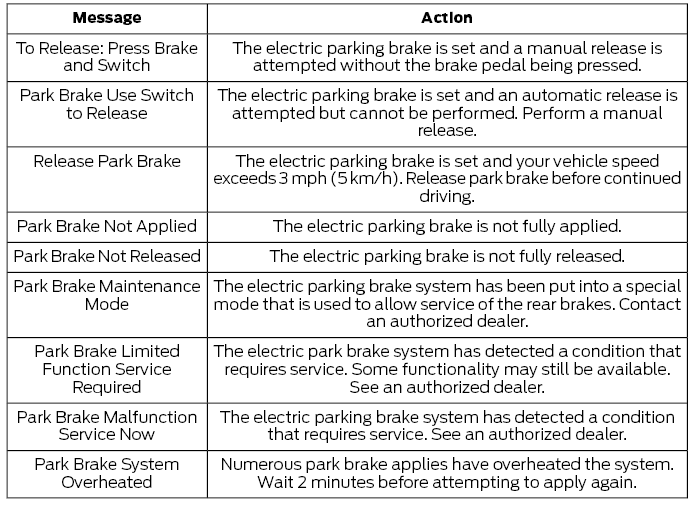
Park Brake
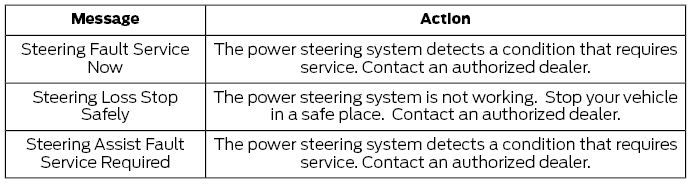
Power Steering
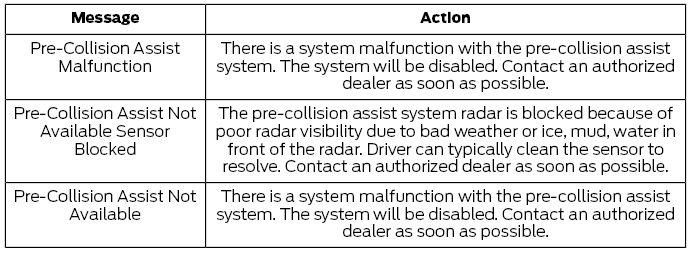
Pre-Collision Assist
Remote Start

Seats

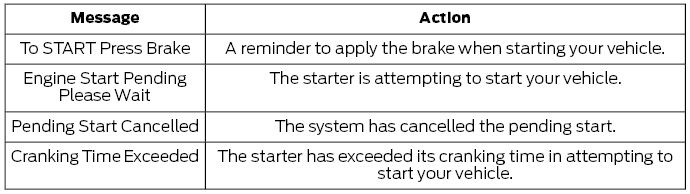
Starting System
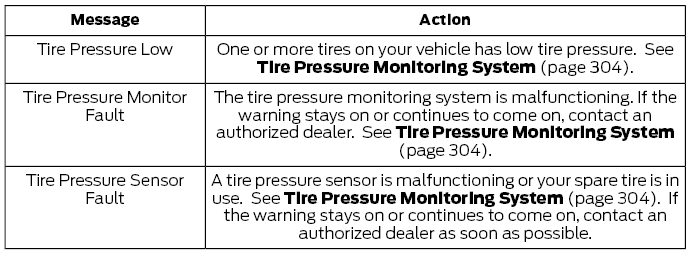
Tire Pressure Monitoring System
Traction Control

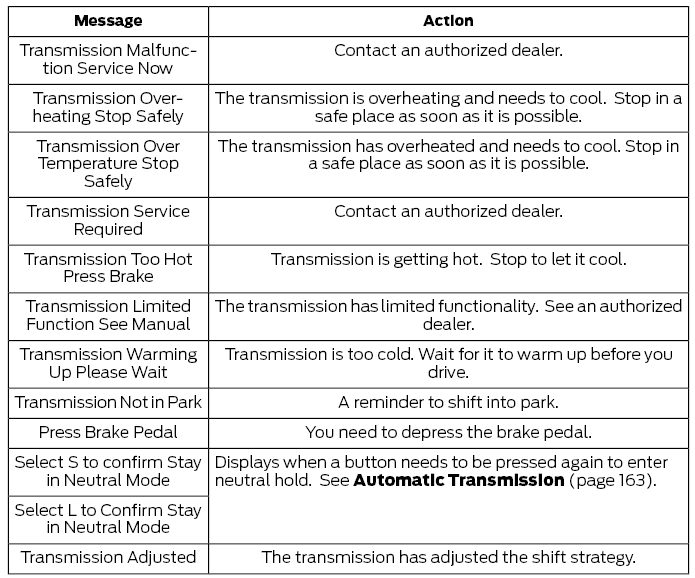
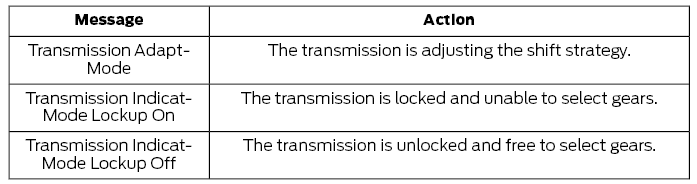
Transmission
 Information Display Controls (Type 3)
Press the up or down arrow buttons to
scroll through the list.
Press the right arrow button to enter a
sub-menu.
Press the left arrow button to exit a
menu...

Other information:
Ford Fusion 2013–2020 Owners Manual: Sitting in the Correct Position
WARNING: Sitting improperly, out of position or with the seatback reclined too far can take weight off the seat cushion and affect the decision of the passenger sensing system, resulting in serious injury or death in the event of a crash. Always sit upright against your seat back, with your feet on the floor. WARNING: Do not recline the seatback too far as this can cause the occupant to s..
Ford Fusion 2013–2020 Owners Manual: General Information. Keyless Starting
General Information WARNING: Extended idling at high engine speeds can produce very high temperatures in the engine and exhaust system, creating the risk of fire or other damage. WARNING: Do not park, idle or drive your vehicle on dry grass or other dry ground cover. The emission system heats up the engine compartment and exhaust system, creating the risk of fire. WARNING: Do not start the..
Categories
- Manuals Home
- 2nd Generation Ford Fusion Owners Manual
- 2nd Generation Ford Fusion Service Manual
- Electronic Parking Brake (EPB) Service Mode Activation and Deactivation. General Procedures
- Starter Motor. Removal and Installation
- Engine
- New on site
- Most important about car
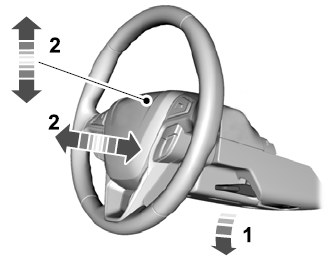
Adjusting the Steering Wheel
WARNING: Do not adjust the steering wheel when your vehicle is moving.
Note: Make sure that you are sitting in the correct position.